
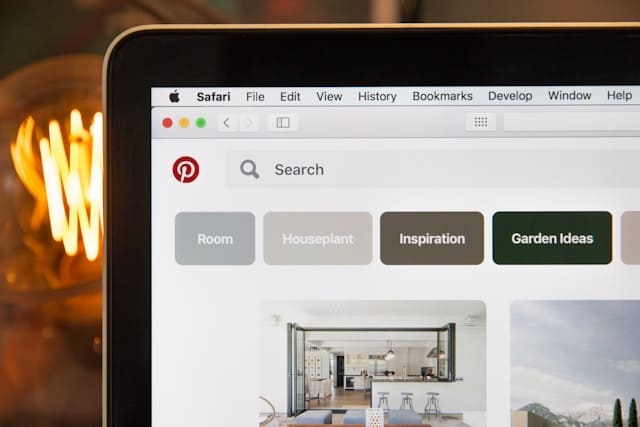
I Made My First $200 on Pinterest Without a Blog or a Big Following
Here’s what actually worked — and what completely wasted my time.
Pinterest affiliate marketing for beginners can feel overwhelming
at first — but it doesn’t have to be. I started with zero followers
and made my first $200 in just three months. Here’s exactly how.
Okay, let me paint the picture. It was a Sunday afternoon, I was deep in a rabbit hole of Pinterest boards about home office setups, and somewhere between drooling over a standing desk and bookmarking a cable management kit, I thought — wait, do people actually make money from this?
Turns out, yes. A lot of money. And unlike Instagram or TikTok where you’re basically running a one-person TV channel, Pinterest is more like a search engine that pays you silently in the background while you sleep.
I spent the next six months figuring it out — making plenty of dumb mistakes along the way.
Why Pinterest Actually Works for Affiliate Marketing
Pinterest is different from other platforms in one big way: your content has a shelf life measured in months, not minutes. A pin I created back in January is still getting clicks today. That doesn’t happen on Instagram where posts die within 48 hours.
The other thing — and this one blew my mind — is that Pinterest users come to the platform ready to buy. They’re searching for “best home gym equipment under $500” or “minimalist bedroom ideas.” That’s commercial intent. That’s the same energy as someone typing into Google before pulling out their credit card.
“Pinterest is basically a visual Google. People aren’t just browsing — they’re planning purchases. Your job as an affiliate marketer is simply to show up when they’re searching.”
Compare that to posting on TikTok where you’re trying to interrupt someone who came to watch dance videos. The Pinterest audience is already primed. They want recommendations. That’s exactly what affiliate marketing is.
Step-by-Step: How to Start Pinterest Affiliate Marketing from Zero
Set up a Pinterest Business account (free)Go to pinterest.com/business/create. A business account gives you access to Pinterest Analytics, which tells you which pins are actually getting clicks. You can convert a personal account too — takes about 2 minutes.
Pick a focused niche — not a broad oneDon’t try to cover “lifestyle.” Pick something specific: budget meal prep, capsule wardrobes, digital planners, home gym on a budget. I started with home office setups and it was specific enough to attract a defined audience.
Join affiliate programs that match your nicheAmazon Associates is the easiest starting point — it covers almost everything. But also look at ShareASale, Impact, or Awin for higher commission rates. If you’re in home decor, Wayfair has an affiliate program. Tech? Try Best Buy or B&H Photo.
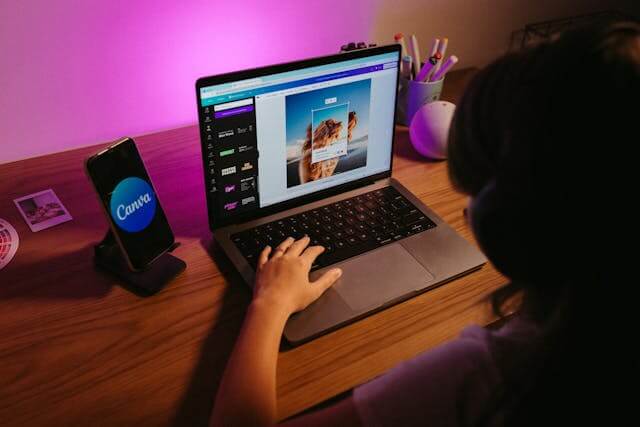
Create pins that look like editorial content, not adsUse Canva (free tier is totally fine) to make clean, well-designed pins. The size that works best is 1000×1500 pixels — a 2:3 ratio. Put text overlay that explains the value: “5 Desk Accessories That Doubled My Productivity” beats “Buy This Desk Stuff.”
Add your affiliate links directly to pinsYes, you can put affiliate links directly in your pin URLs — no blog required. Pinterest allows this. Just make sure you disclose it (add “#ad” or “affiliate link” in your pin description — it’s required by the FTC and Pinterest’s own policies).
Be consistent — aim for 5 to 10 fresh pins per dayI use Tailwind (there’s a free plan) to schedule pins in advance so I’m not manually posting every day. Pinterest rewards accounts that pin regularly. This is probably the single biggest factor in your growth.
The Tools I Actually Use
No fluff, just what’s sitting in my bookmarks right now:
Canva — for designing pins. The free version is genuinely enough to get started. I upgraded to Pro eventually for the background remover, but it’s not essential early on.
Tailwind — for scheduling. Their “Smart Schedule” figures out the best times to post based on when your audience is active. Set it up once, let it run.
Pinterest Trends — this is a free tool built into Pinterest and almost nobody uses it. It shows you what’s trending right now so you can create pins around topics people are actively searching for.
Amazon Associates SiteStripe — the browser toolbar that Amazon gives you so you can generate affiliate links directly from any product page without having to log into your dashboard every time.
Notion or a simple spreadsheet — to track which pins are linking to which products, and what’s converting. You’d be surprised how quickly things get messy without some kind of system.
Pro tip: Use Pinterest’s own search bar to do keyword research before you create anything. Type in your niche and see what autocomplete suggestions come up — those are real searches from real people. Build your pins around those exact phrases.
Mistakes I Made (So You Don’t Have To)
Pinning too broadlyI started with 12 different boards covering everything from fitness to travel. Pinterest couldn’t figure out what my account was about. Narrowing to 3 focused boards fixed this.
Ugly pins = no clicksMy first pins looked like they were made in MS Paint circa 2003. Design matters on Pinterest. I spent an hour watching YouTube tutorials on Canva and my click-through rate jumped noticeably.
Forgetting the disclosureI didn’t add affiliate disclosures to my early pins. That’s an FTC violation and also against Pinterest’s terms. Always add “Affiliate link” or “#ad” to your description.
Giving up too earlyPinterest takes 2 to 3 months to really start showing traction. I nearly quit at month one. Your first 60 days are basically investment time — results come later.
Only linking to AmazonAmazon commissions can be painfully low (sometimes 1–3%). I diversified into programs on ShareASale and Impact where commissions are 10–20% for the same type of products.
Ignoring video pinsStatic image pins are great, but short video pins (even 15 seconds made in Canva) get significantly more reach because Pinterest prioritizes them in feeds.
Do You Actually Need a Blog?
Short answer: no. Long answer: also no, but having one helps.
You can link your affiliate pins directly to product pages. No website needed. I did this for my first three months and made my first $200 that way.
But here’s the thing — if you eventually build a simple blog or even just a free landing page (you can use something like Carrd.co or a free WordPress site), you can capture email addresses and build an audience you actually own. That’s the longer game and it’s worth thinking about once you’ve got some momentum.
For pure beginners? Skip the blog, master the pin, start collecting commission checks, then think about scaling up.
What Kind of Commission Should You Expect?
Realistically, in your first month, you might make anywhere from $0 to maybe $30. That’s not a typo and it’s not pessimism — Pinterest affiliate marketing builds slowly. By month three to four, if you’re consistent with pinning, you could be at $100 to $300/month. Some people in established niches hit $1,000+/month. It depends entirely on your niche, your commission rates, and how well your pins convert.
The niches that tend to pay well on Pinterest: home decor, kitchen gadgets, digital products (huge commissions), fashion, fitness equipment, and anything in the “mom/parenting” space because that’s core Pinterest audience territory.
Digital products (eBooks, courses, printables, software) often pay 30–50% commission with zero shipping and return headaches. If you can find an affiliate program for digital products in your niche, prioritize those over physical product links.
One Thing Nobody Talks About: Pinterest SEO
Your pin description isn’t just decorative text — it’s how Pinterest’s algorithm decides who to show your pin to. Treat it like a mini blog post.
Use the keywords you found in Pinterest’s search bar naturally throughout your description. Don’t stuff them — write like a human. “Looking for the best ergonomic desk chair under $300? I’ve been testing home office chairs for two years and these five options genuinely changed how my back feels after long work days.” That kind of description will outperform “Best desk chairs! Click here! #chair #desk #home #office #ergonomic #buy.”
Also: your board names matter. Name them using keywords people actually search for. “My Bedroom Stuff” is invisible to search. “Small Bedroom Decorating Ideas on a Budget” is findable.
A Realistic Timeline
Month 1: Setup phase. Create your business account, join 2 to 3 affiliate programs, make your first 50 pins, start building boards. Don’t expect earnings yet. Expect learning.
Month 2: Consistency phase. Aim for 5 to 7 pins per day. Watch your Pinterest Analytics to see which pins are getting impressions. Double down on those topics.
Month 3+: Momentum phase. By now your older pins start compounding — they’ve been indexed by Pinterest’s algorithm and are getting steady traffic. This is when you start seeing consistent click-throughs and affiliate conversions.
The accounts I’ve seen succeed fastest all have one thing in common: they treated it like a real project for at least 90 days before evaluating results.
“Pinterest affiliate marketing starts slowly, but once your pins begin ranking, the traffic can become very stable. If you stay consistent, even beginners can start without a blog.”