What three years of pinning taught me — and what nobody tells you about getting discovered.
I remember the exact afternoon I gave up on Pinterest. I’d spent two hours designing what I genuinely thought was a beautiful infographic about slow cooker recipes, uploaded it with a carefully written description, and… nothing. Three saves over the following month. Meanwhile some blurry photo of a pasta bowl from 2019 was sitting in my niche with 14,000 repins. I didn’t get it.
That frustration sent me down a rabbit hole that lasted the better part of three years. I’ve since grown two Pinterest accounts — one personal food blog and one for a client in the home décor space — from a few hundred monthly impressions to numbers that actually move the needle. And the single biggest unlock? Finally understanding how the algorithm actually decides what to show people.
Let me save you those three years.
Pinterest isn’t social media — and that changes everything
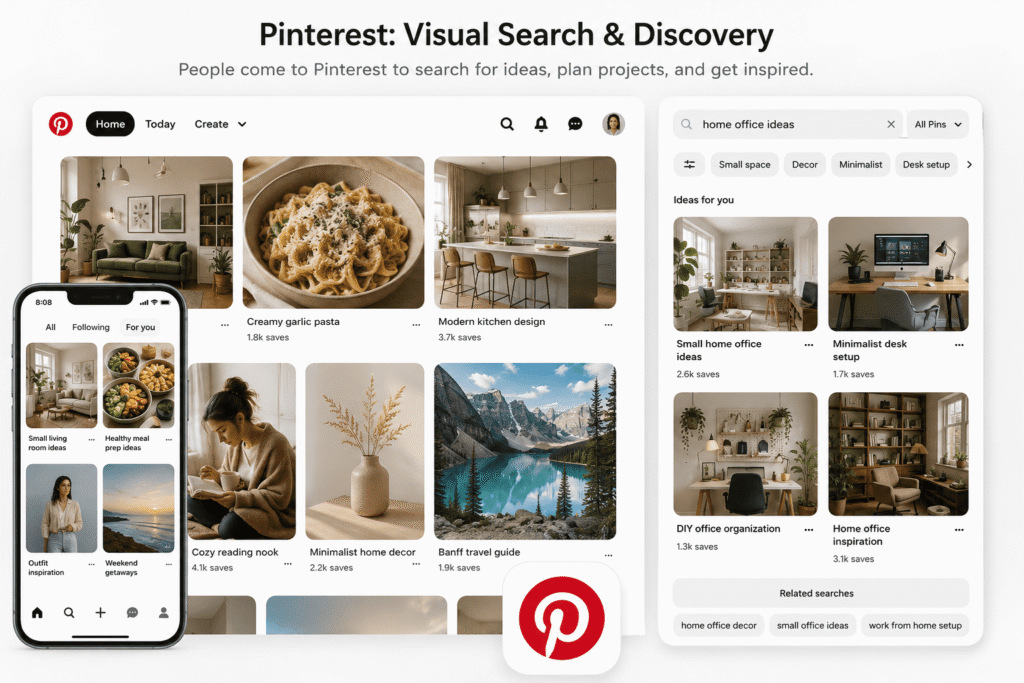
The first mental shift that changed how I approached Pinterest: it’s not a social media platform. Not really. It’s a visual search engine with a discovery layer on top. People don’t open Pinterest to see what their friends are up to. They open it because they’re planning something — a wedding, a kitchen renovation, a meal prep routine — and they want ideas.
That distinction matters because it means the algorithm isn’t trying to push content from popular accounts the way Instagram or TikTok does. It’s trying to match content to intent. Your job isn’t to “go viral.” It’s to show up for the right searches at the right time.
“Pinterest’s algorithm is less about who you are and more about what your content says — and how useful that is to a specific searcher.”
Once I started thinking like a search engine optimizer instead of a content creator fishing for likes, everything changed. My pins started getting traction months after I published them. That’s when I realized — good Pinterest content compounds. It doesn’t spike and die.
The four main signals the algorithm watches
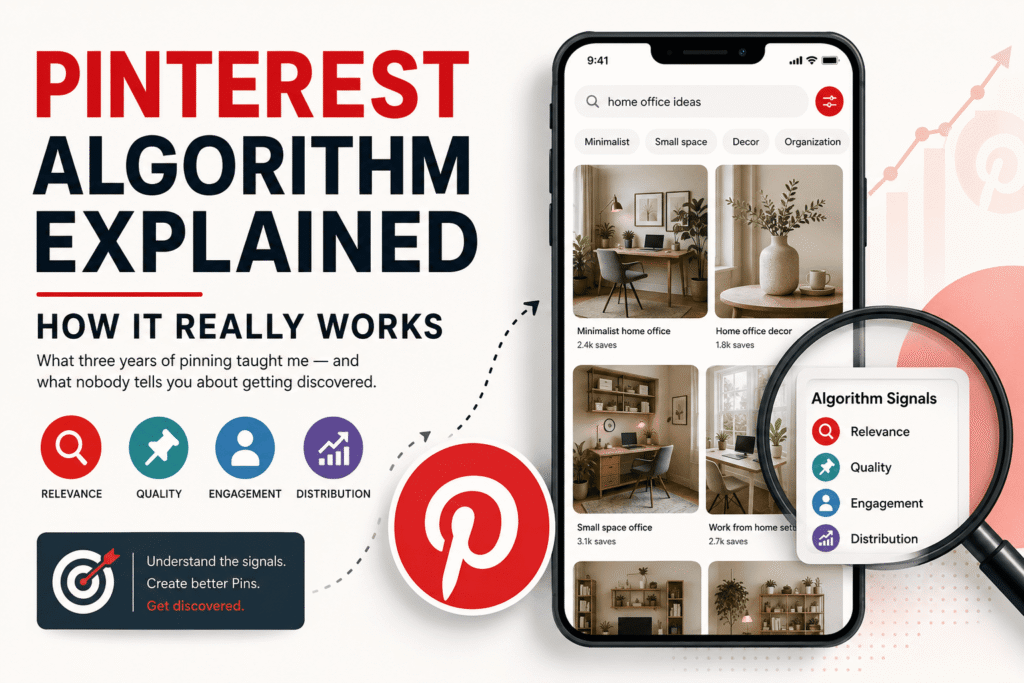
Pinterest has never published an exact formula (of course), but from consistent testing and paying close attention to what correlates with distribution, I’ve landed on four categories of signals that seem to matter most:
Domain Quality
Pinterest evaluates the website your pin links to — is it trustworthy, fast-loading, and relevant?
Pin Quality
Saves, clicks, and close-ups on individual pins — engagement that signals actual usefulness.
Pinner Quality
Your account’s overall history — consistency, spam signals, and how engaged your followers are.
Relevance
How well your pin’s text, image, and board match what someone is actually searching for.
Of these, relevance is the one most creators neglect — and it’s the one most in your control from day one, even with a brand new account.
How “relevance” actually gets scored
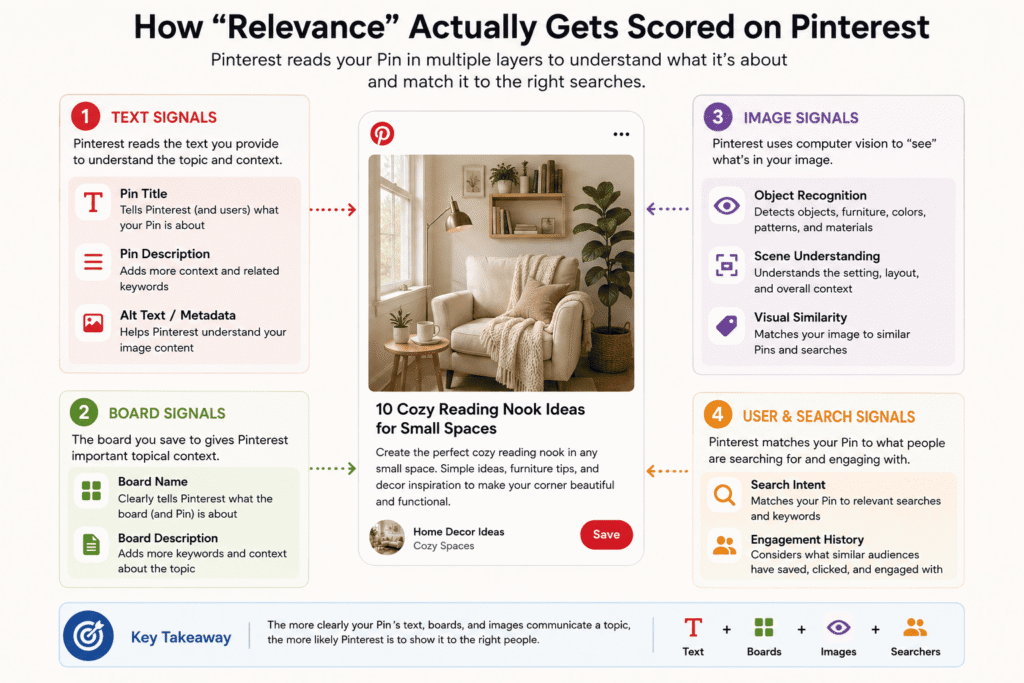
Pinterest reads your pin in several layers. It reads the text you write — your title, description, and the alt text if you’re uploading via the API or your website’s metadata. It reads the board name and board description you save it to. And here’s the one that surprised me most: it reads the actual image itself using computer vision.
Pinterest’s image recognition is legitimately good. If you upload a photo of a blue velvet sofa in a mid-century modern living room, the system knows that. It can match your image to searches like “blue velvet furniture,” “modern living room ideas,” and “velvet accent pieces” — even without a single word in your description. This is why some low-effort pins still get traction: the photo itself is doing the SEO work.
Practical Insight
Use real, clear photos where the subject is easy to identify. Pinterest’s vision system struggles with heavily filtered, dark, or overly styled shots. If the main subject isn’t immediately obvious to a human, the algorithm will have trouble categorising it too.
This is why lifestyle-context shots (the sofa in the living room) often outperform product-on-white-background shots — the image gives the algorithm far more contextual signals.
The “smart feed” and how your pin travels through it
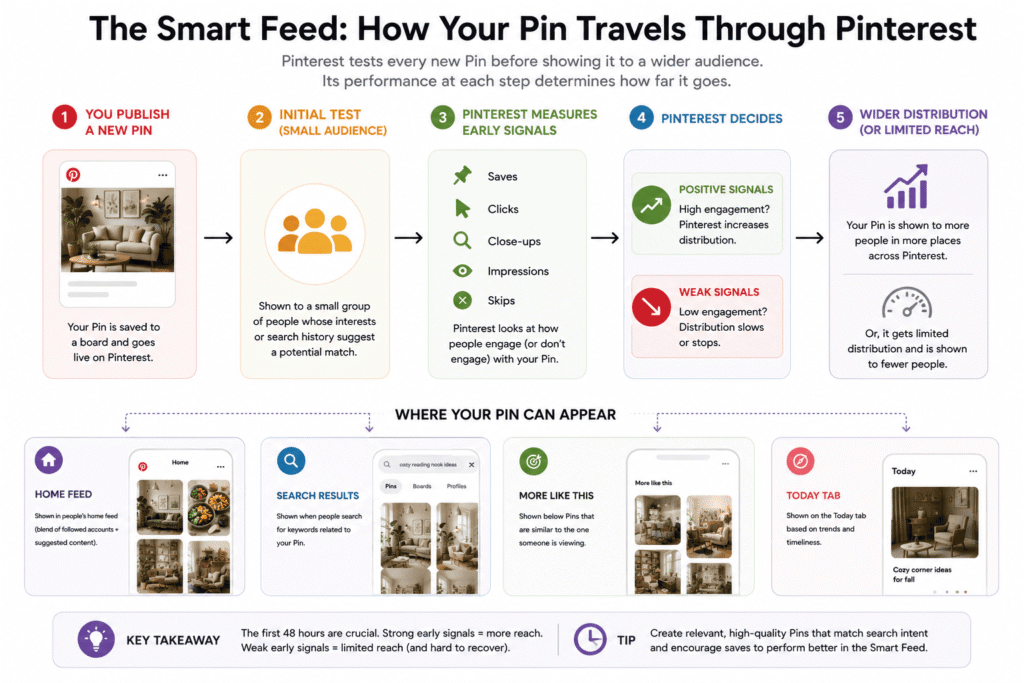
When you publish a new pin, it doesn’t immediately go everywhere. Pinterest tests it. First, it shows the pin to a small group of people whose interests and search history suggest they’d be a good match. It watches what they do. Do they save it? Do they click through? Do they tap to zoom in? Or do they scroll right past it?
Based on those early signals, Pinterest either gives the pin more distribution — showing it in more home feeds, search results, and related pin sections — or it quietly throttles it. A pin that gets ignored by its first audience rarely recovers. This is why your first 48 hours after publishing matter a lot.
The smart feed itself is a mix of four placement types: the home feed (content from accounts you follow plus suggested content), search results, “more like this” recommendations below a pin you’re viewing, and the Today tab for trending content. Each has slightly different ranking factors, but relevance and engagement quality run through all of them.
Step-by-step: setting up a pin for maximum reach
- 1Start with keyword research, not ideasUse Pinterest’s own search bar to find real search terms. Type your topic and watch the auto-suggestions — those are real queries people are typing. Also look at the “related searches” tiles that appear after you search. These are your content targets.
- 2Write a title that matches a real search queryDon’t be clever or brand-y here. “10 Ideas for a Cozy Reading Nook” beats “Transform Your Corner” every time. Pinterest users search with intent — speak their language.
- 3Write a description that reads naturally but includes keywordsAim for 2–3 sentences. Mention the core keyword once, add a related term, and describe what someone will actually get from clicking. No keyword stuffing — Pinterest’s spam filters are good and it actively hurts distribution.
- 4Save to the most relevant board — not just any boardThe board sends a strong relevance signal. If your pin is about sourdough bread recipes, it should go to a board named something like “Sourdough Bread” or “Easy Bread Recipes” — not a generic “Kitchen Stuff” board.
- 5Add a link that actually leads somewhere usefulPinterest heavily favours pins that link to real, high-quality content. A pin linking to a detailed blog post will always outperform one linking to a homepage or — worse — to nothing at all.
- 6Publish fresh pins consistently, not in bulkPinterest rewards accounts that pin consistently over time. Scheduling 30 pins at once on a Sunday does less than spreading those same pins across three weeks. I use Tailwind for scheduling — it’s one of the few third-party tools Pinterest actually recommends, and it has a “SmartSchedule” feature that posts at your audience’s peak engagement times.
Fresh pins vs. repins: what the algorithm really wants
For years, the advice was to repin other people’s content heavily to stay active. That advice is now outdated and can actually hurt you. Pinterest has shifted strongly towards rewarding “fresh” content — meaning images and URLs it hasn’t seen before.
What counts as fresh? A new image linked to a new URL is the gold standard. But even a new image linked to the same URL as before counts as fresh. What doesn’t count: saving the same pin you’ve already saved, over and over, just to different boards. Pinterest recognizes duplicate pin images and gives them diminishing distribution over time.
This is the piece that transformed my client’s account. Instead of resharing old pins, we started creating multiple image variations for each piece of content — same blog post, three different pin designs. Each one counted as fresh. Impressions went up 340% over four months without publishing a single new article.
Mistakes I made (so you don’t have to)
- MistakeSaving to irrelevant boards — I used to save every pin to every board to “maximize reach.” Pinterest actually penalises this. It reads as spam-like behaviour and dilutes your relevance signal.
- MistakeIgnoring board descriptions — Boards without descriptions are invisible to the algorithm. A 2-sentence description with relevant keywords on every board is table stakes.
- MistakeChasing trending topics with no relevance to my niche — Trending content gets a temporary boost from the Today tab, but if your account has no history in that category, you’re unlikely to rank for it, and the traffic won’t convert anyway.
- MistakePublishing everything at once then going quiet — Consistency matters more than volume. Posting 5 pins per day for a week, then nothing for three weeks, tanks your account’s distribution score.
- MistakeNot claiming my website — Unclaimed domains get lower priority in Pinterest’s ranking. Claiming takes 10 minutes and gives your pins a distribution advantage. Do it first.
The timeline nobody talks about
Here’s something that would have saved me months of anxiety: Pinterest is slow. Really slow. A pin published today might not find its full audience for three to six months. I’ve had pins that sat at under 100 impressions for four months, then climbed to 50,000 monthly views by month seven with zero additional work on my part.
This is because Pinterest’s algorithm keeps testing and re-distributing pins over time, especially if they have a good save rate. Every time someone saves your pin to a new board, it gets exposed to that person’s followers and associated searches. The compounding effect is real — but it requires patience that most people don’t give it.
“The people who get frustrated and quit at month two are leaving right before the snowball starts rolling.”
My honest benchmark for a healthy account: expect to see meaningful traction (consistent, growing impressions) after three consistent months. If you’re not seeing any movement by month four, the issue is usually either keyword relevance or pin quality — not algorithm bias against small accounts.
Pinterest Analytics: what to actually look at
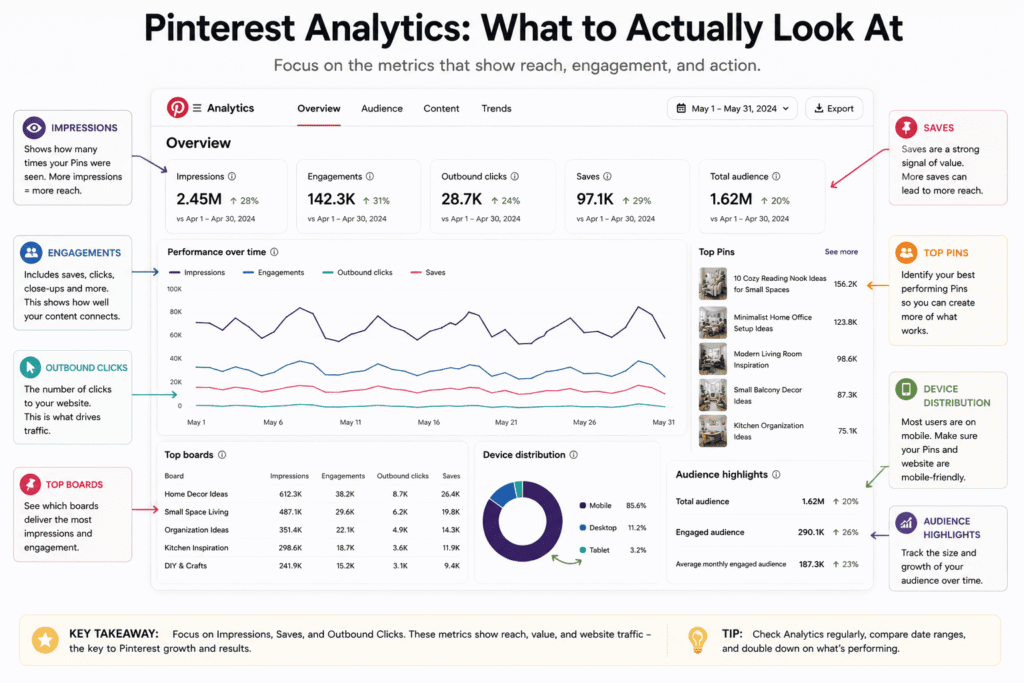
Pinterest’s native analytics tool (free, inside Pinterest Business) gives you more than most people use. The metric most creators track — impressions — is actually the least useful on its own. A pin can rack up enormous impressions and never drive a single click if the image isn’t compelling or the destination doesn’t match the promise.
The metrics I watch instead: outbound clicks (are people actually visiting my site?), save rate (saves divided by impressions — this tells you if the algorithm will amplify the pin further), and top boards by traffic (which board categories are your best performers — double down on those).
I check analytics once a week, not every day. Daily fluctuations are noise. Weekly and monthly trends are signal.
The Pinterest algorithm isn’t some black box that rewards luck or follower count. It’s a relevance engine that gets better at serving your content as it learns what your content is about — and who responds to it. Your main jobs are to speak clearly to the algorithm (through keywords, board strategy, and image quality), give it consistent fresh material to work with, and then have the patience to let the compounding do its thing.
The blurry pasta bowl that outperformed my beautiful infographic? I eventually looked at it more carefully. The person who posted it had a full board of Italian recipes, an optimised description, a link to a site with hundreds of pasta posts, and had been posting consistently for two years. The algorithm wasn’t being unfair. It was just doing exactly what it’s designed to do — surfacing the most relevant, trustworthy content for the people searching for it.
Once I stopped fighting that logic and started working with it, everything got easier.